

Downtime costs organizations around $300,000 per hour.1 Whether it’s caused by ransomware, hardware failure, human error, or a natural disaster, losing access to critical systems can bring business operations to a halt. That’s why more organizations are turning to disaster recovery as a service (DRaaS) as a modern, cloud-based approach to business continuity.
In this guide, we’ll explain what DRaaS is, how disaster recovery in cloud computing works, and why it’s become important for building resilient IT strategies.
What Is Disaster Recovery as a Service?
Disaster recovery as a service (DRaaS) replicates and hosts an organization’s servers, applications, and data in a secure cloud environment. If a disaster occurs, systems can be rapidly restored or failed over to the cloud to minimize downtime and data loss.
In simple terms, DRaaS shifts recovery infrastructure from your on-premises environment to the cloud, where it’s managed, monitored, and tested by a service provider.
Netlink Voice works with businesses to design cloud DRaaS strategies that protect critical systems – without the cost and complexity of maintaining a data center. We understand that every organization has different recovery needs, which is why we focus on understanding your goals before recommending solutions.
How Does DRaaS Work?
While implementations vary across providers, most DRaaS solutions follow a similar process:
Replication
Your DRaaS provider continuously replicates all data, apps, and system images from your production environment to a secure cloud platform. This step ensures that a current copy of your critical systems always exists off-site, ready to be activated if needed.
Monitoring
The provider then monitors system health and replication status to ensure recovery readiness at all times. This constant monitoring means that potential issues are caught early, before they become problems. Your provider is watching your recovery environment 24/7, so you don’t have to.
Testing
One of the biggest advantages of cloud DRaaS is the ability to test recovery plans without disrupting production systems. You can run regular disaster recovery drills to ensure your team knows what to do during an actual emergency.
Failover and Recovery
If a disaster occurs, your workloads are failed over to the cloud environment. Some organizations can failover in minutes, while others may take longer depending on their specific setup.
Disaster Recovery in Cloud Computing Explained
Traditional disaster recovery services required duplicate hardware, multiple physical locations, and complex failover processes. Disaster recovery in cloud computing replaces that model with an on-demand infrastructure that scales as needed.
With disaster recovery in the cloud, your data and workloads are continuously replicated to a cloud environment. If an outage occurs, systems can be spun up quickly – often in minutes instead of hours or days. As a result, businesses can:
- Reduce capital expenditures
- Improve recovery speed
- Simplify disaster recovery planning
- Support hybrid and remote environments
At Netlink Voice, we help customers design DRaaS solutions that align disaster recovery objectives with real business needs – not just theoretical SLAs.
DRaaS vs Traditional Disaster Recovery
Understanding how disaster recovery as a service and legacy DR models stack up is key when evaluating your options. Here’s a quick breakdown:
Traditional Disaster Recovery
- High upfront and maintenance costs
- Manual testing and failover
- Limited scalability
Disaster Recovery as a Service
- Cloud-based and scalable
- Subscription pricing model
- Automated testing and orchestration
- Faster recovery times
For many organizations, DRaaS removes the barriers that previously made disaster recovery too expensive or complex to implement properly.
Cloud DRaaS and Recovery Objectives
When implementing disaster recovery as a service, two metrics matter most:
- Recovery Time Objective (RTO): How quickly systems must be restored after an outage.
- Recovery Point Objective (RPO): How much data loss is acceptable, measured in time.
A well-designed cloud DRaaS solution balances RTO and RPO against cost, performance, and operational risk. At Netlink Voice, we help customers define realistic objectives based on business impact – not guesswork.
Top 5 Benefits of Disaster Recovery as a Service
Businesses gain several advantages when they prioritize DRaaS, including:
1. Faster Recovery Times
Instead of manually restoring systems from backups, which can take hours or even days, cloud-based DRaaS can bring systems online in minutes. And with the costs of downtime rising, every minute of recovery time saved translates directly to dollars protected
2. Improved Reliability
DRaaS services replicate data stored in cloud environments across multiple physical locations, so a single disaster can’t affect both your primary and backup systems at once. This geographic dispersal ensures that your operations can continue even during widespread events.
3. Reduced Costs
DRaaS helps businesses lower costs by nearly 55% compared to conventional recovery solutions.2 There’s no need to maintain idle hardware or secondary data centers. You only pay for what you use.
4. Simplified Management
With DRaaS, your disaster recovery strategy is centrally managed, monitored, and maintained, often with provider support. You don’t need to hire specialists just to manage your backup infrastructure – your provider handles the technical complexity while your IT team focuses on supporting your business.
5. Better Security
Modern cloud DRaaS solutions include cybersecurity essentials like encryption and advanced access controls. They also address ransomware through immutable backups that attackers can’t encrypt or delete, ensuring you can always recover clean data.
Is DRaaS Right for Your Business?
Disaster recovery has become essential for cyber resilience, which could be why the DRaaS market is expected to grow from $13 billion in 2025 to $24 billion by 2030.3 Businesses that benefit most from adopting a cloud DRaaS strategy include those that:
- Cannot tolerate extended downtime
- Lack internal disaster recovery expertise
- Operate in compliance‑driven industries
- Support remote or hybrid work
- Want predictable costs and simplified recovery
Even businesses with existing backup solutions may discover gaps that DRaaS is designed to close – especially when rapid recovery is critical.
What Is Disaster Recovery as a Service Used For?
DRaaS supports a wide range of use cases across industries, including:
Hardware Failure or Outages
When equipment fails or entire data centers go offline, DRaaS enables immediate failover to cloud resources without waiting for hardware replacement.
Natural Disasters
Natural disasters like hurricanes, earthquakes, and floods can destroy physical infrastructure. DRaaS protects you because your recovery environment exists geographically separate from your primary location.
Ransomware Recovery
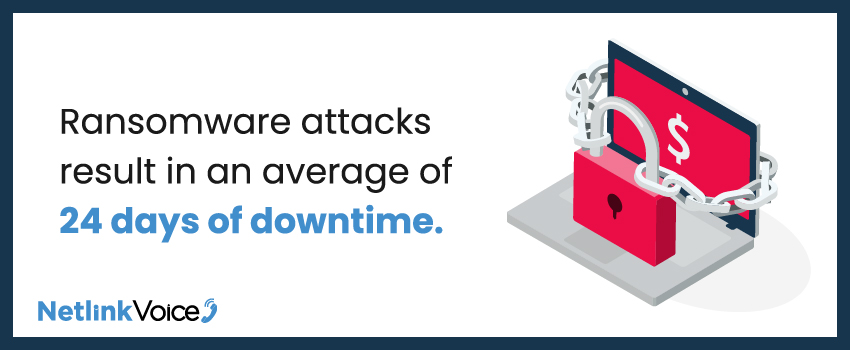
Clean, immutable backups protected in DRaaS systems allow you to restore data that attackers cannot corrupt or encrypt. This capability is crucial since ransomware attacks cost organizations an average of 24 days of downtime,4 and that cost only increases the longer you’re offline.
Human Error
DRaaS offers built-in network redundancy. Accidental deletion, misconfiguration, or other operator mistakes can be quickly reversed by restoring from a known good backup.
Hybrid Work Support
Organizations with distributed workforces or hybrid environments benefit especially from disaster recovery in cloud computing, since systems can be restored from anywhere. Employees can continue working whether they’re in an office, at home, or traveling because the cloud provides universal access.
Compliance Requirements
Many industries require documented disaster recovery capabilities. DRaaS helps you meet regulatory requirements and demonstrates to auditors that you have robust continuity plans.
Ready To Get Started With DRaaS?
If you’re evaluating disaster recovery as a service, or wondering whether your current recovery plan will hold up under real-world conditions, we’re here to help.
At Netlink Voice, we help businesses design and implement IT solutions like DRaaS to protect data, applications, and operations – without adding unnecessary complexity. Our approach focuses on:
- Right-sized cloud DRaaS architecture
- Clear recovery objectives
- Regular testing and validation
- Integration with existing IT and security strategies
We work closely with our customers to ensure their disaster recovery in the cloud strategy is practical, reliable, and ready when it’s needed most.
Contact the Netlink Voice team today to discuss how DRaaS can protect your business no matter what comes your way.
Sources: